Install Portal on macOS.
Portal currently supports Apple-silicon Macs. Because the app is not yet verified by Apple, macOS may ask you to confirm the first launch.
- 1
Download Portal
Select the macOS download below, or open the Portal download page and choose macOS.
- 2
Install and open Portal
Open the downloaded DMG, drag Portal into Applications, then open Portal. If macOS blocks it, continue to the next step.
- 3
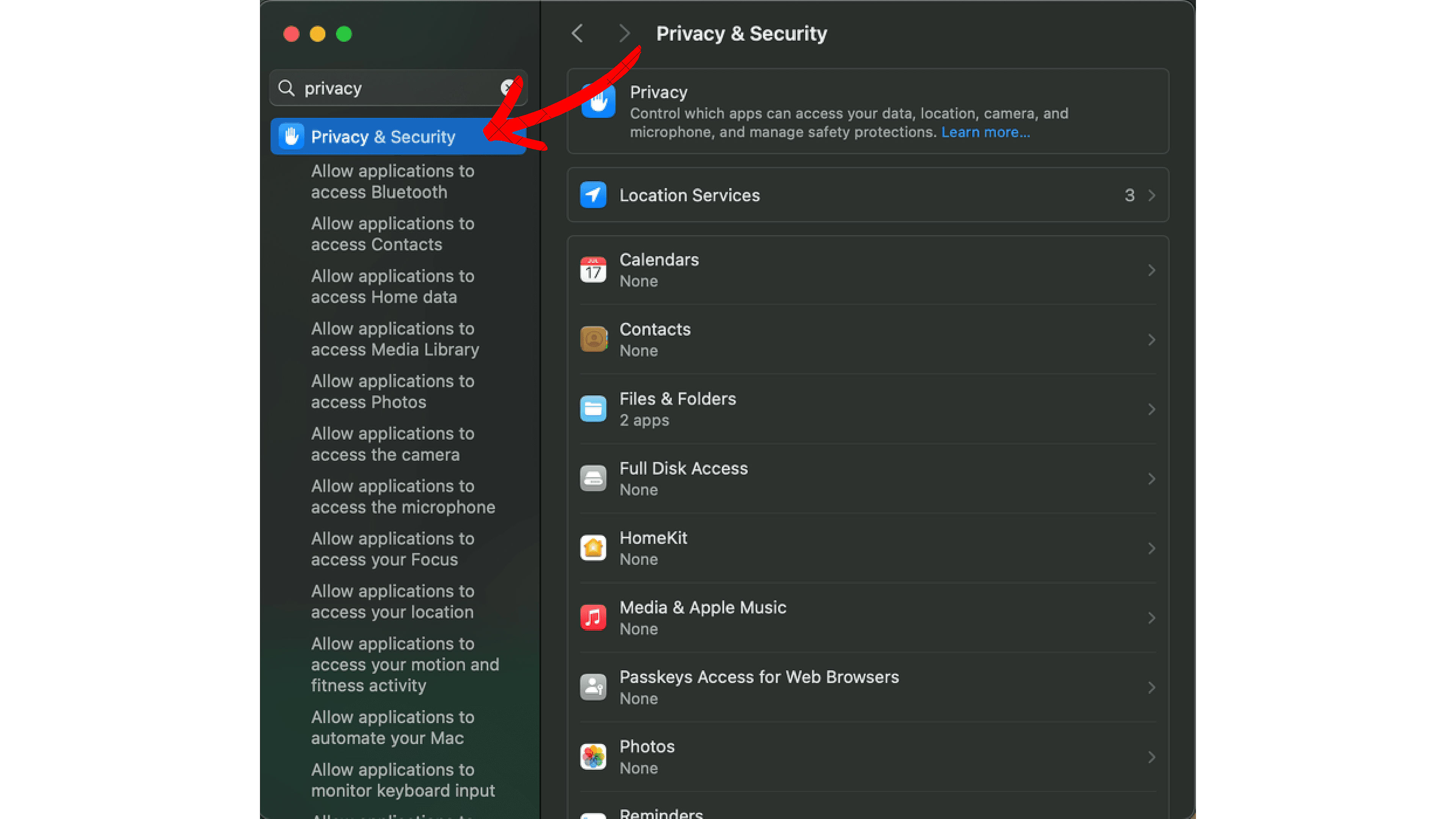
Open Privacy & Security
Open System Settings, search for Privacy & Security, and open that section.
- 4
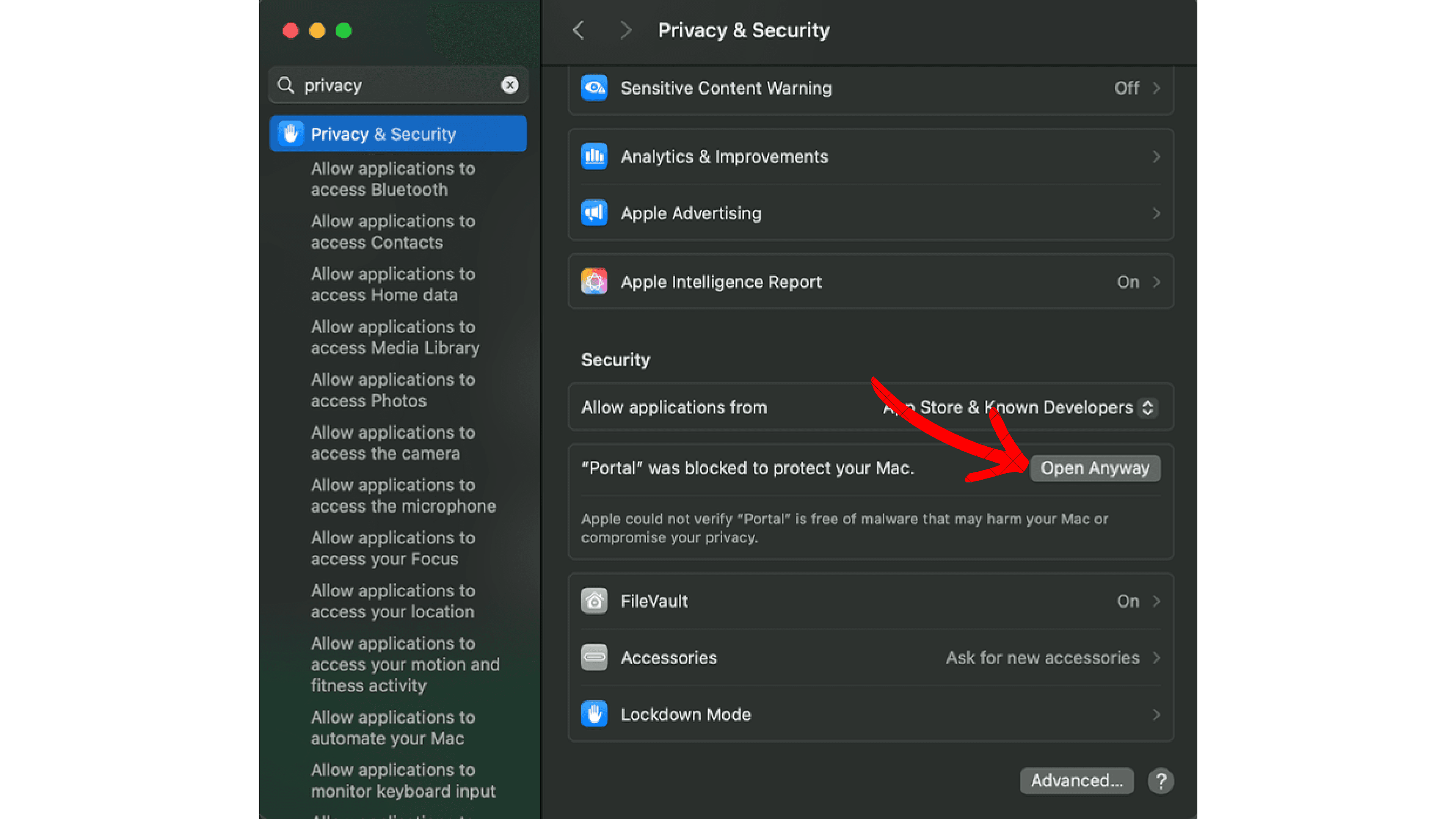
Select Open Anyway
Scroll to Security, find the message saying Portal was blocked, then select Open Anyway.
- 5
Confirm and finish
Confirm that you want to open Portal. The app will launch and be ready to use.