Install Portal on Windows.
Portal is not currently code-signed, so Microsoft Defender SmartScreen may ask you to confirm the installer. These five steps show the full process.
- 1
Download Portal
Select the Windows download below, or open the Portal download page and choose Windows.
- 2
Open the installer
When the download finishes, open Portal-Setup.exe from your browser’s downloads or Downloads folder.
- 3
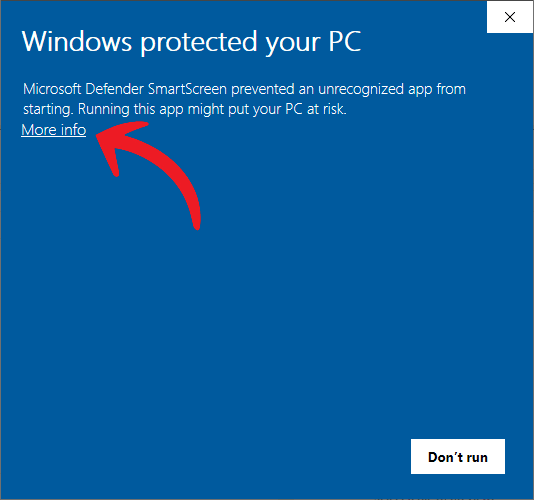
Select More info
Microsoft Defender SmartScreen may say the app is unrecognized. Select More info to reveal the option to continue.
- 4
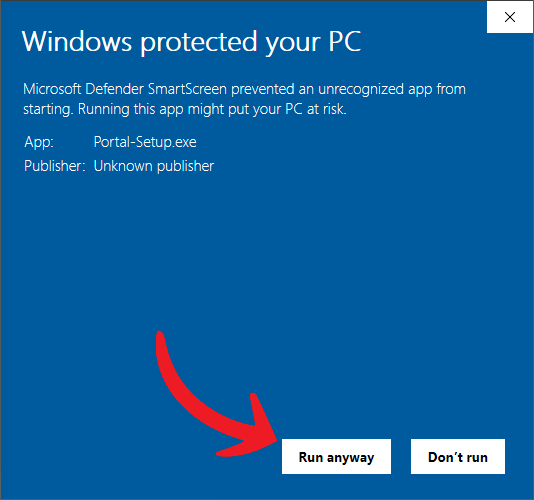
Select Run anyway
Confirm the app name is Portal-Setup.exe, then select Run anyway.
- 5
Finish setup
Follow the setup wizard. When it finishes, Portal will open and be ready to use.